
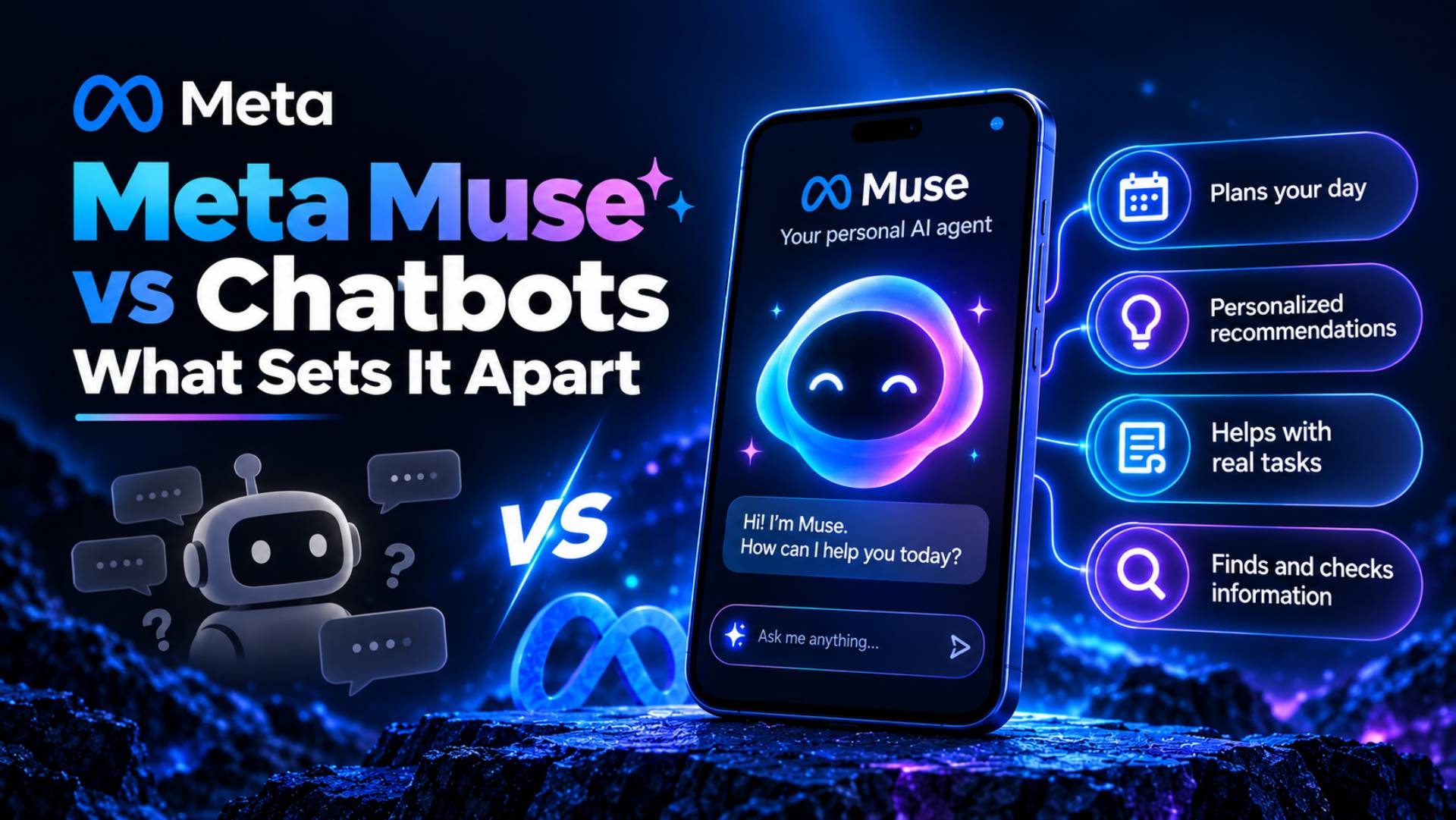
For years, using an AI chatbot mostly meant typing a question and receiving an answer. You could ask for an email draft, travel ideas, a shopping list, or instructions for completing a task, but you still had to take those suggestions and do most of the real-world work yourself.
Meta’s Muse is designed around a different model. Officially called Muse, the personal AI agent from Meta can move beyond conversation into execution. Meta says it can use its own browser, interact with connected services, send emails, book travel, complete purchases with approval, remember useful personal context, and continue working after you close the app. Muse launched in the United States on September 8, 2026, for iOS, Android, and the web.
One clarification matters when discussing Meta Muse vs Chatbots. Here, “chatbot” means a traditional conversational AI that primarily answers questions or generates content. Here, “chatbot” means a traditional conversational AI that primarily answers questions or generates content. Some modern AI assistants now include agent-like tools and can perform similar actions. The distinction is increasingly about conversation versus autonomous execution, not simply one brand versus another. IBM and Microsoft similarly describe AI agents as systems capable of planning and executing multi-step actions across tools rather than only responding conversationally.
Quick Answer: How Is Meta Muse Different From a Chatbot?
- A traditional chatbot mainly helps you understand what to do.
- Meta Muse is designed to do parts of the task for you.
- It can open a browser and interact with websites.
- It can work with connected services.
- It can fill out forms and complete multi-step tasks.
- It can request approval before carrying out sensitive actions.
- It can continue working while you are away.
- It can remember useful information and apply that context to future tasks.
- The main difference is not simply better travel plans or shopping recommendations, but a greater ability to take action.
- Other agentic assistants are starting to offer similar capabilities, so these features distinguish Muse from a conventional chatbot rather than making them completely exclusive to Muse.
Meta Muse vs. Traditional Chatbots
| Capability | Meta Muse | Traditional Chatbot |
|---|---|---|
| Answers questions | Yes | Yes |
| Generates text and ideas | Yes | Yes |
| Performs multi-step tasks | Yes | Usually limited |
| Uses a dedicated browser | Yes | Usually not |
| Works across connected services | Yes | Usually limited |
| Continues tasks after you leave | Yes | Usually not |
| Sends emails with permission | Yes | Usually provides a draft |
| Makes approved purchases | Yes | Usually provides recommendations |
| Remembers useful personal context | Yes | Varies |
| Shows an action audit trail | Yes | Not typical |
The important dividing line is agency. A chatbot mainly returns information to the user. An agent can interpret a goal, decide on steps, use tools, and take actions within the permissions it has been given.
1. Muse Can Use the Web to Carry Out Tasks for You
Ask a conventional chatbot how to cancel a subscription, compare insurance quotes, or complete an online application and it will usually explain the process. You still need to open the website, find the right page, enter the information, and complete each step.
Muse is designed to move further into that workflow.
What Muse Does
A clear example of What Meta Muse Can Do is operate with its own browser inside a dedicated virtual computer. Meta says it can open websites, navigate pages, fill out forms, and perform online steps on a user’s behalf. It can open websites, navigate pages, fill out forms, and perform online steps on a user’s behalf. Meta has also said Muse can negotiate in some situations rather than simply showing information.
Why This Goes Beyond a Traditional Chatbot
The key difference is execution.
A chatbot might tell you which form to complete. An AI agent can potentially open that form, enter authorized information, and move the task toward completion.
That reduces the gap between receiving advice and actually finishing the job.
Practical Example
Suppose you want to lower a recurring household bill. A chatbot could suggest negotiation points or draft a message. Meta describes Muse as being able to work through the process and attempt to negotiate on the user’s behalf.
Important Limitation
Website access is not guaranteed. Individual platforms can restrict or block third-party AI agents. Amazon, for example, recently blocked Muse from using its platform for purchases, citing its conditions of use and concerns around agent access.
2. Muse Can Keep Working After You Close the App
Most chatbot interactions are synchronous. You ask something, wait for an answer, and continue the conversation.
Muse can handle tasks that extend beyond a single chat session.
What Muse Does
Meta says Muse can continue working on longer tasks after the user closes the application. It can return when something changes, when work is complete, or when it reaches a point requiring user approval.
At Meta Connect 2026, the company also demonstrated a voice experience in which Muse can continue doing work in the background while the user remains in conversation with it.
Why This Goes Beyond a Traditional Chatbot
Traditional chat assumes that the conversation itself is the workspace.
An agent treats the goal as the workspace.
It can potentially break the objective into stages, perform actions, wait for external changes, and return later rather than requiring the user to continuously supervise every step.
Practical Example
Imagine asking Muse to investigate several travel options, compare them against your requirements, and prepare the best workable plan. You should not necessarily have to keep the conversation window open while every individual action takes place.
Important Limitation
Background operation does not mean unlimited autonomy. Sensitive actions still require approval, and external services, errors, authentication requirements, or unsupported websites can stop the workflow.
3. Muse Can Send Emails Instead of Only Drafting Them
Writing email is already easy for generative AI. Sending it is a different level of responsibility.
What Muse Does
Among the practical Meta Muse Features, users can decide whether Muse may only read connected email or also send messages on their behalf. Meta says Muse checks with the user before sensitive actions such as sending an email. Meta says Muse checks with the user before sensitive actions such as sending an email.
At Meta Connect on September 24, Meta also announced that Muse will receive its own email address, giving the agent another channel for handling tasks and communicating with users. That feature was announced as forthcoming rather than universally available at the time of writing.
Why This Goes Beyond a Traditional Chatbot
A traditional chatbot might produce:
“Here is a professional follow-up email you can copy.”
Muse can potentially move from composing the message to actually sending it through authorized email access.
That difference matters because many repetitive administrative jobs involve execution rather than writing.
Practical Example
You might ask Muse to prepare a dinner invitation based on information it already knows, show you the message, request approval, and send it after you confirm.
Important Limitation
Sending emails gives an AI system considerably more power than simply creating drafts. Users should review important correspondence, restrict permissions to what is necessary, and avoid treating autonomous email as a substitute for judgment in sensitive professional, legal, financial, or personal situations.
4. Muse Can Book Travel Instead of Just Planning It
Chatbots have long been able to suggest destinations, compare rough itineraries, and recommend what to pack. Muse is designed to move from planning toward transaction.
What Muse Does
Meta explicitly lists booking travel among Muse’s capabilities. It can use a browser, fill forms, and coordinate steps needed to complete a task.
Meta has also announced additional travel integrations. At Connect 2026, it said Expedia support was coming to Muse as part of an expanding connector ecosystem.
Why This Goes Beyond a Traditional Chatbot
A chatbot might tell you:
“Flight A is cheaper, while Hotel B is closer to downtown.”
An agent can potentially use that information to advance the actual booking process once your preferences and permissions are clear.
This moves AI from recommendation toward fulfillment.
Practical Example
You could provide Muse with a destination, preferred travel dates, budget, hotel requirements, and scheduling constraints. Rather than simply returning an itinerary, the agent could work through supported services and bring the transaction to an approval point.
Important Limitation
Availability, prices, cancellation terms, loyalty benefits, visa requirements, and travel conditions can change quickly. Users should verify high-cost or difficult-to-reverse bookings before approval.
Expedia support was also described by Meta as coming soon, so connector availability should not be assumed to be universal.
5. Muse Can Complete Purchases With Your Approval
Shopping chatbots are usually recommendation engines. They find products, summarize reviews, or compare prices.
Muse has been built to go further into checkout.
What Muse Does
Meta says Muse can complete eligible purchases using Link by Stripe. The system uses a one-time-use payment card so Muse does not need visibility into a user’s actual card details. Meta has also announced additional payment support, including Shop Pay and PayPal.
Muse is supposed to request confirmation before making a purchase.
Why This Goes Beyond a Traditional Chatbot
This is another example of how Muse aims to move Beyond Traditional Chatbots. A conventional chatbot might say:
“Here are three coffee makers under $200.”
Muse is designed to potentially research, select, navigate checkout, and complete the transaction after approval.
That turns product discovery into commerce.
Practical Example
You could ask for a specific household item within a budget and with particular delivery requirements. Muse could investigate supported retailers and prepare the purchase rather than leaving you to restart the process manually.
Important Limitation
Not every retailer permits autonomous shopping agents.
Amazon has blocked Muse from making purchases on its platform, demonstrating that agent capabilities ultimately depend on the rules imposed by third-party websites.
Users should also independently check price, seller, return terms, product specifications, and final order details before authorizing expensive purchases.
6. Muse Can Work Across Connected Services
A chatbot generally operates within its own conversation unless integrations or connectors have been added.
Muse’s design depends heavily on connections to external services.
What Muse Does
Meta says Muse launched with dozens of partners and access to Shopify’s catalog. At Connect 2026, Meta announced additional shopping connections including Walmart, Best Buy, Sephora, Wayfair, and others, as well as Instacart for grocery-related tasks. Productivity connections include Notion, Granola, GitHub, and Box.
Why This Goes Beyond a Traditional Chatbot
One of the practical Meta Muse Advantages is that the more useful comparison is not “Can the AI talk about Notion?” but “Can it actually use an authorized service as part of completing the job?”
Agents derive much of their value from the tools around the underlying language model.
Practical Example
A project might involve finding information, organizing it into a work system, accessing stored files, and following up through another service. An agent can potentially combine those stages instead of requiring you to manually copy outputs between applications.
Important Limitation
Connections are permission-based, service availability varies, and companies can change access policies.
A connected ecosystem also increases the importance of permission management. Users should avoid giving broad access simply because it is convenient.
7. Muse Can Turn Long-Term Goals Into Ongoing Plans
Traditional chatbots are excellent at generating plans. The harder part is keeping those plans alive as circumstances change.
Meta positions Muse as a system that can continue working toward broader goals.
What Muse Does
According to Meta, once a user gives Muse a goal, the agent can create a personalized plan, coordinate time and resources, and advance the work independently. Meta gives examples such as adjusting a training plan as someone’s life changes.
Why This Goes Beyond a Traditional Chatbot
Ask a chatbot for a six-month fitness or savings plan and you will likely get a static document.
An agent can theoretically treat the objective as something that continues to exist after that conversation ends.
It can use new information, remember previous context, and modify the next actions.
Practical Example
Suppose your objective is to train for a race while managing an unpredictable work schedule.
A traditional chatbot can create an eight-week training program.
Muse is designed to maintain awareness of the broader goal and adapt recommendations or tasks as schedules and circumstances change.
Important Limitation
Long-term planning remains dependent on the quality of the information supplied and the reliability of the agent’s reasoning.
Muse should not replace qualified professionals in areas such as medicine, investing, law, or other high-stakes decisions.
8. Muse Can Remember Context and Make Proactive Suggestions
Most people do not want to explain their life from scratch every time they open an assistant.
Persistent personal context is therefore central to Meta’s vision for Muse.
What Muse Does
Meta says Muse remembers information that matters to the user and can act on details that may have been mentioned only once. It can also make suggestions without waiting for a new prompt. Users can tell Muse to forget particular information it has learned.
Why This Goes Beyond a Traditional Chatbot
A traditional conversation is usually reactive:
You ask → AI responds.
A personal agent can potentially operate more like:
It remembers → notices relevance → suggests an action.
That shift from reactive conversation toward proactive assistance is one of the clearest characteristics of agentic AI.
Practical Example
If Muse knows you are planning a dinner and previously learned that one friend avoids a particular food, it could factor that preference into later menu planning without requiring you to restate it.
Important Limitation
Persistent memory creates obvious privacy considerations.
Users should understand what information Muse retains, periodically review permissions and stored context, and deliberately remove information they no longer want the system to remember.
Recent reporting has also highlighted how difficult it can be for an AI assistant to accurately explain its own data access. The Verge reported a case in which Muse referenced information from message notifications and initially gave an inaccurate explanation of how it had obtained that context; Meta said the relevant permissions had been enabled and acknowledged that Muse’s self-explanation was wrong.
9. Muse Can Turn Information From Your Digital Life Into Actions
Context becomes more useful when an AI can do something with it.
Meta is connecting Muse to information people already interact with across its ecosystem and other authorized services.
What Muse Does
Meta gives the example of Muse taking a recipe Reel that a user saved on Instagram and turning it into a grocery list. The agent could then use other remembered information, such as friends’ dietary restrictions, when planning a dinner and preparing invitations.
This is different from simply asking an AI to summarize a recipe.
The information can become part of a broader workflow.
Why This Goes Beyond a Traditional Chatbot
A standard chatbot normally needs you to bring context into the conversation.
An integrated personal agent can potentially already have access to authorized context and use it to decide what comes next.
That creates workflows where one piece of information becomes input for another action.
Practical Example
A saved meal idea could become:
recipe
→ ingredient list
→ grocery order
→ menu plan
→ invitation.
You are no longer prompting separately for every stage.
Important Limitation
This convenience depends on how much information you choose to connect.
More context can improve personalization, but it can also increase the amount of personal data available to the system. The best permission setting is not automatically the broadest one.
10. Muse Can Perform Actions Inside Its Own Secure Computing Environment
One of the least visible but most important differences between an ordinary chatbot and an autonomous agent is infrastructure.
An agent needs somewhere to browse, store authorized credentials, maintain state, and carry out tasks.
What Muse Does
The Advanced Meta Muse Tools include Muse Secure VM, a dedicated cloud-based virtual machine with its own browser. Meta says each user’s environment is isolated from other users’ agents. Meta says each user’s environment is isolated from other users’ agents.
A separate system called Sentinel is kept apart from Muse at the system level and is designed to approve internet-bound actions and request user permission when necessary. Meta also says Muse does not see users’ passwords or payment details directly; credentials are kept in secure storage and can be used without exposing their contents to the agent.
Muse also provides users with an audit trail showing actions it has taken and actions it plans to take.
Why This Goes Beyond a Traditional Chatbot
A chatbot can live almost entirely inside a conversation.
An action-taking agent needs a controlled computing environment because its consequences can extend beyond generated text.
Practical Example
Muse may need to authenticate to an authorized service, open pages, gather information, prepare an action, request your permission, and then carry it out.
Important Limitation
Architecture designed for security does not eliminate security risk.
The Verge reported in September 2026 that Meta patched a vulnerability in Muse’s Mac software that could have allowed malicious software already present on the device to redirect part of Muse’s processing and manipulate the agent. Meta emphasized that exploitation required existing local malicious access and issued a hotfix after the problem was reported.
What About Privacy and Security?
The Meta Muse AI Experience requires a level of access that is fundamentally different from asking an ordinary chatbot for writing help. An agent that can use email, browse websites, access connected services, remember personal information, and make purchases needs stronger permission and security controls because its mistakes can have real consequences. An agent that can use email, browse websites, access connected services, remember personal information, and make purchases needs stronger permission and security controls because its mistakes can have real consequences.
Meta says Muse’s Secure VM isolates each user’s agent and stores connected-service data and credentials inside that environment. The separate Sentinel system is designed to control what Muse can send to the internet. Users decide which services to connect and can choose different permission levels—for example, allowing email reading without granting permission to send messages. Muse is also supposed to request approval before sensitive actions such as sending an email or making a purchase.
Meta says people can disconnect services, change permissions, tell Muse to forget selected memories, and opt out of having their interactions used to train Meta’s AI models. The company also says conversations and information stored in the VM are not shared with Meta’s advertising systems.
Those are Meta’s stated protections, not a guarantee that the system cannot fail.
Recent events show why caution remains necessary. Meta patched the Mac vulnerability described above. The Verge has also reported concerns about the clarity of Muse’s explanations of its own data access, while Amazon has blocked the agent from shopping on its site.
Reuters has additionally reported that Meta is testing a “human concierge” approach for some phone-call tasks, in which contractors can handle calls. The testing has raised internal privacy questions because certain tasks could contain sensitive information.
The practical lesson is simple: give an agent only the access it genuinely needs, verify sensitive actions, and do not treat automation as equivalent to risk-free autonomy.
What Meta Muse Still Can’t Do
Despite the Meta Muse Unique Functions described above, Muse is more autonomous than a conventional chatbot but is not an unrestricted digital employee.
First, it cannot freely operate everywhere on the web. Websites can block autonomous agents, as Amazon has already done with Muse. That means a workflow that works today can also change if a third-party platform changes its policies.
Second, sensitive actions still require human approval. That is intentional. Purchases and outgoing emails are examples of actions where Meta says Muse checks with the user first.
Third, not every announced feature is already universally available. Meta said on September 24 that Expedia support is coming soon, Muse’s own email address is forthcoming, and AI-glasses integration will arrive in the coming months.
Fourth, Muse can make mistakes. A personal agent relies on AI reasoning, changing websites, external services, permissions, and information that may itself be incomplete.
Finally, autonomous execution does not remove the need for human judgment. Health decisions, financial commitments, legal matters, important communications, high-value purchases, and irreversible actions still deserve careful review.
Chatbot vs. AI Agent: The Real Difference
The simplest distinction is this:
A chatbot primarily communicates. An AI agent can communicate and act.
Traditional chatbots are optimized around natural-language conversation. They answer questions, generate content, summarize information, and guide users through decisions.
Agents introduce another layer: goal-directed execution.
Microsoft describes AI agents as systems that can interpret objectives, reason about them, and execute multi-step actions across connected environments. IBM similarly notes that agents can plan, use tools, retain context, and complete workflows with less human involvement.
That distinction is not absolute anymore.
Modern chatbot products are increasingly adding browsing, memory, connectors, computer control, and agent modes. An interface can look like a chatbot while an agent operates underneath it.
So the important question is no longer:
“Does it have a chat box?”
Instead, ask:
What authority does the AI have after you press Enter?
If it only returns an answer, it is behaving like a conventional chatbot.
If it can develop a plan, access tools, perform actions, wait for results, adapt the plan, and continue working toward a goal, you are dealing with agentic AI.
That is the category Muse is designed to occupy.
Final Thoughts
The most important thing about Meta Muse is not that it can chat more naturally. It is that Meta is trying to move AI from answering requests to carrying them out.
A traditional chatbot can help you write an email, research a purchase, create a travel plan, or outline steps toward a long-term goal. Muse is designed to move further down that chain: use tools, interact with websites and connected services, keep working after the conversation ends, remember relevant context, and return when it needs your approval.
That extra agency also changes the risk equation. Giving AI permission to act means users need to pay much closer attention to access controls, stored context, confirmations, third-party services, security, and the accuracy of what the agent is doing.
Muse therefore illustrates both sides of Next-Generation AI Capabilities in 2026: less manual work, but more consequential permissions.
The future difference between an assistant and an agent may not be how intelligently it talks. It may be how much of your digital life you are willing to let it operate.