
Facilities teams often start with spreadsheets, email, paper forms, or shared calendars. These tools can work when maintenance requests are limited, but they become harder to manage as assets, technicians, preventive maintenance schedules, locations, and reporting requirements increase.
The Best Facilities Management Software centralizes work orders, asset records, recurring maintenance, inspections, service requests, and related operational information, making it easier for facilities teams to manage day-to-day operations from one system. The International Facility Management Association describes facility management as an organizational function that integrates people, place, and process within the built environment. Comparing Free vs. Paid Facilities Management Software requires looking beyond the monthly subscription price. Free CMMS plans can handle basic maintenance needs, while paid platforms may provide stronger reporting, automation, integrations, and scalability.
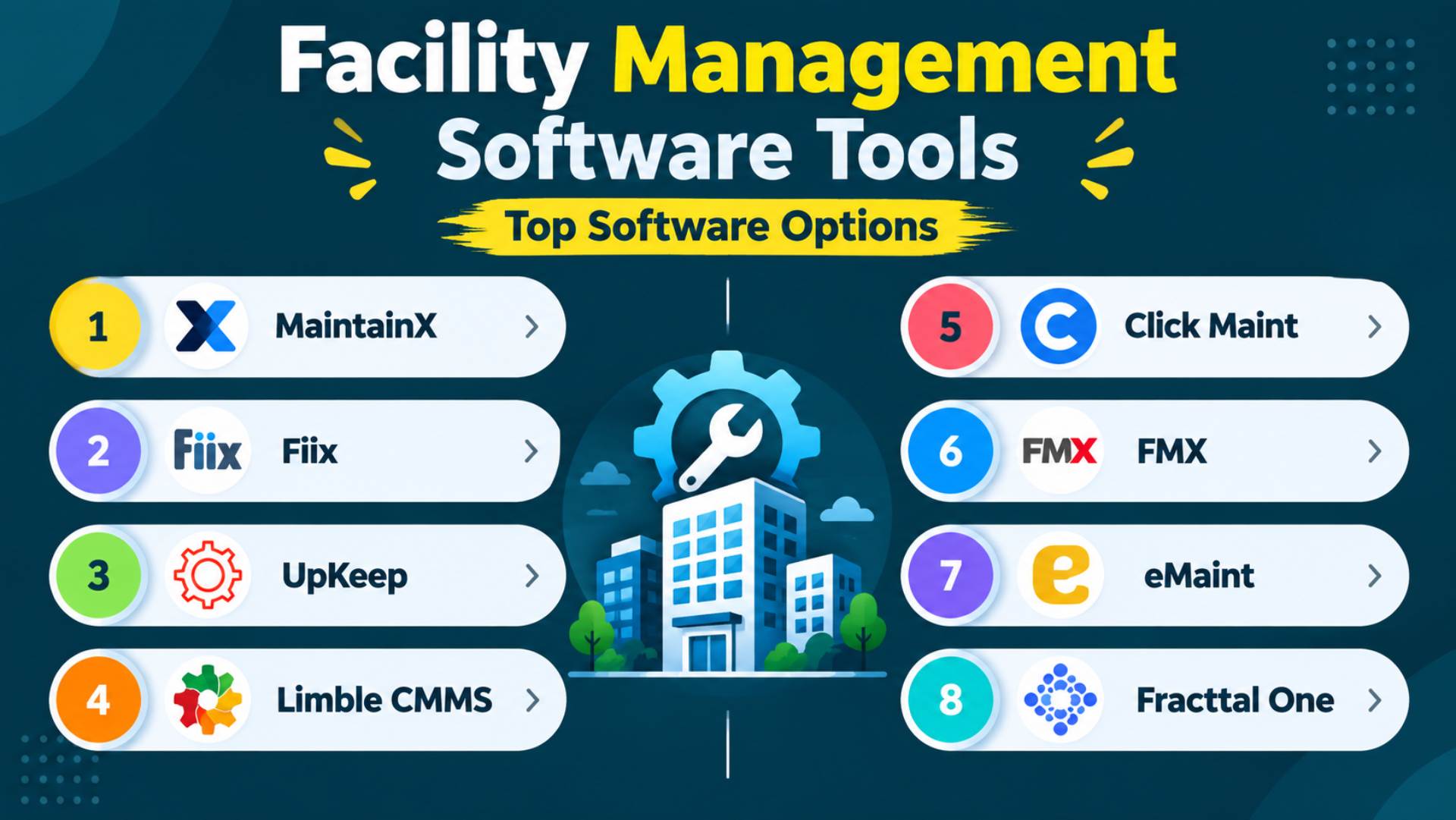
This guide compares eight current facilities and maintenance management platforms based on pricing, free access, preventive maintenance, asset management, mobile functionality, reporting, integrations, scalability, and practical value for facilities teams.
Quick Answer
- Free software suits small teams, single locations, limited assets, and businesses moving away from spreadsheets.
- MaintainX and Fiix offer useful free options, but advanced maintenance, reporting, automation, and multi-site features may require paid plans.
- Paid software is better suited to larger teams, multiple facilities, complex preventive maintenance, integrations, inventory, and detailed reporting.
- Best value is not always the lowest price. Compare the features you actually need against the total cost.
Free vs. Paid Facilities Management Software at a Glance
| Category | Free Software | Paid Software |
|---|---|---|
| Typical Cost | $0 | Per user, tiered subscription, or custom quote |
| Work Orders | Usually included | Included with broader workflow controls |
| Preventive Maintenance | Basic or limited | Advanced scheduling and triggers |
| Asset Management | Often included | Broader history, hierarchy, lifecycle, and analytics |
| Number of Users | May be limited | Usually expandable |
| Reporting | Basic dashboards or limited history | Advanced and customizable reports |
| Integrations | Usually limited | APIs and business integrations often available |
| Automation | Minimal | Workflow and maintenance automation available on higher tiers |
| Support | Self-service or standard support | Broader onboarding and account support |
| Best For | Small teams and simple operations | Growing or complex maintenance operations |
| Main Limitation | Feature and scalability restrictions | Higher subscription and implementation cost |
Free-plan capabilities differ considerably between providers. A free CMMS may support unlimited work orders while still restricting recurring maintenance, reports, procedures, integrations, or multi-location management.
Best Facilities Management Software Compared
| Software | Best For | Free Plan/Trial | Starting Price | Key Strength | Main Limitation |
|---|---|---|---|---|---|
| MaintainX | Small and growing maintenance teams | Permanent free plan | $20/user/month annually | Strong work-order and mobile workflow | Advanced features require Premium/Enterprise |
| Fiix | Free CMMS and asset-heavy teams | Permanent free plan | $45/user/month | Unlimited assets on free plan | Reports require paid plan |
| UpKeep | Mobile maintenance teams | Free account advertised; 7-day trial | $24/user/month | Strong mobile maintenance workflow | Preventive maintenance starts on higher tier |
| Limble CMMS | Preventive maintenance and growing teams | Free account available | $28/user/month | Strong maintenance and asset management | Advanced capabilities raise cost |
| Click Maint | Affordable paid CMMS | 30-day trial | $35/user/month annually | Broad CMMS functionality in one plan | No permanent free plan |
| FMX | Facilities, schools, and multi-building operations | 14-day trial | Custom quote | Broad facilities-management scope | Public pricing unavailable |
| eMaint | Complex maintenance and regulated operations | Free trial | Custom quote | Configurability and enterprise maintenance | Higher implementation complexity |
| Fracttal One | Multi-site and condition-based maintenance | Free trial | Custom quote | Maintenance automation and IoT capabilities | Public pricing unavailable |
MaintainX currently lists a free Basic plan, Essential at $20 per user per month billed annually, Premium at $65, and custom Enterprise pricing. Fiix lists a $0 Free plan, Basic at $45 per user per month, Professional at $75, and custom Enterprise pricing.
This Facilities Management Software Comparison reflects pricing and plan information available at the time of research. Costs can vary by billing cycle, users, assets, locations, implementation requirements, and optional modules, so verify current pricing with the provider before purchasing.
Research and pricing checked: October 2026
This guide is based on editorial research of current product pricing pages, feature pages, help centers, documentation, trial information, and implementation details.
No claim of hands-on testing is made. Where a provider does not publicly disclose pricing, limits, or implementation costs, this article identifies the information as unavailable or quote-based rather than estimating it.
How We Chose the Best-Value Facilities Management Software
Each platform was assessed against the same practical requirements rather than simply comparing how many features appear on its website.
The main criteria were:
- Work-order management
- Preventive maintenance
- Asset and equipment history
- Maintenance scheduling
- Mobile functionality
- Inspections and checklists
- Inventory and parts management
- Reporting and analytics
- Integrations and APIs
- Automation
- Ease of adoption
- User, asset, and location limits
- Free-plan restrictions
- Starting price
- Scalability
- Support
- Overall value for money
The cheapest product is not automatically the best value. Different Facility Management Solutions place reporting, integrations, preventive maintenance, additional users, and multi-location capabilities on different pricing tiers, so the practical cost can rise as requirements grow.
Similarly, an enterprise platform may offer excellent functionality while providing poor value for a small business that needs only work orders and scheduled maintenance.
The goal is to identify how much useful functionality an organization receives relative to its actual operational requirements and total cost.
1. MaintainX
Best for: Facilities and maintenance teams wanting a strong mobile-first starting point
Free plan: Yes; permanent Basic plan
Free trial: Available for paid plans
Starting paid price: $20 per user/month billed annually
Key strength: Useful work-order functionality and a clear upgrade path
Main limitation: Meter-based maintenance, inventory, API access, and deeper analytics require Premium
Overview
MaintainX is a maintenance management and CMMS platform focused on work orders, procedures, preventive maintenance, assets, parts, and frontline operations.
Its pricing structure makes it particularly relevant to organizations comparing free and paid facilities maintenance software.
Key Facilities Management Features
MaintainX supports work orders, requester accounts, recurring tasks, procedures, asset records, QR and barcode scanning, parts inventory, reporting, downtime tracking, meter-based maintenance, purchasing, and integrations depending on the plan.
Its Premium plan adds parts inventory management, purchase orders, time and cost tracking, meter-based maintenance, and REST API access. Multi-site reporting and more advanced administration sit within Enterprise.
Free Plan or Trial
The Basic plan costs $0 and includes unlimited work orders, unlimited procedures, unlimited requester users, real-time messaging, two active repeating work orders, and limited analytics history.
That makes the free tier practical for a small operation, but teams relying heavily on recurring preventive maintenance may outgrow it quickly.
Paid Plans and Pricing
Essential costs $20 per user/month when billed annually or $25 monthly. Premium costs $65 annually or $75 monthly. Enterprise uses custom pricing.
Why It Offers Good Value
MaintainX stands out among Affordable Facilities Management Tools because small teams can begin with practical work-order functionality at no cost and add more advanced maintenance and inventory capabilities as their operations grow.
2. Fiix
Best for: Small teams with substantial asset inventories
Free plan: Yes
Free trial: Free plan requires no credit card
Starting paid price: $45 per user/month
Key strength: Unlimited assets and work orders on the free tier
Main limitation: Reporting and several advanced maintenance functions require paid plans
Overview
Fiix is a CMMS focused on maintenance management, assets, work orders, preventive maintenance, parts, and equipment reliability.
Key Facilities Management Features
The platform includes work orders, preventive maintenance scheduling, assets, downtime tracking, QR/barcode scanning, meter readings, inventory, mobile access, and notifications.
Professional adds multi-site management, purchasing, advanced notifications, custom reports, and more advanced maintenance functionality.
Free Plan or Trial
Fiix’s Free plan includes unlimited work orders, unlimited assets, mobile access, parts and supplies inventory, service requests, and up to 25 active preventive maintenance schedules.
Standard reports and pass/fail inspection tasks require Basic.
Paid Plans and Pricing
Basic costs $45 per user/month. Professional costs $75. Enterprise uses custom pricing.
Why It Offers Good Value
Unlimited assets are an important advantage for organizations that have many pieces of equipment but only a small maintenance team.
3. UpKeep
Best for: Technicians working primarily in the field
Free plan: A separate permanent free account is advertised
Free trial: 7 days, no credit card required
Starting paid price: $24 per user/month
Key strength: Mobile-centered maintenance workflow
Main limitation: Preventive maintenance scheduling begins on the Premium plan
Overview
UpKeep is an asset operations and maintenance management platform designed around work orders, maintenance technicians, assets, inventory, preventive maintenance, and field operations.
Key Facilities Management Features
Essential includes unlimited work orders and locations. Premium adds preventive maintenance scheduling, checklists, parts and inventory, and labor tracking. Professional adds offline mobile mode, deeper analytics, asset lifecycle tracking, and compliance-oriented signature capture. Enterprise adds workflow automation, integrations, multi-site modules, SSO, and custom roles.
Free Plan or Trial
UpKeep separately promotes a free account that does not expire. Its current trial page offers seven days of free access without a credit card.
Because the main pricing page centers on paid tiers, organizations should confirm the current capabilities of the permanent free account before relying on it.
Paid Plans and Pricing
Essential is $24 per user/month and Premium is $55. Professional and Enterprise use custom pricing. Implementation packages can add to initial costs.
Why It Offers Good Value
UpKeep becomes attractive when technician mobility and straightforward work-order management matter more than obtaining the lowest subscription price.
4. Limble CMMS
Best for: Growing maintenance teams focused on planned maintenance
Free plan: Free account available
Free trial: Current public pages promote account access and demos; confirm trial terms directly
Starting paid price: $28 per user/month for Standard
Key strength: Strong preventive maintenance and asset workflow
Main limitation: More advanced operational capabilities require higher tiers
Overview
Limble is a CMMS designed for managing preventive maintenance, work orders, assets, parts, vendors, purchasing, and maintenance reporting.
Key Facilities Management Features
Limble includes work-order management, preventive maintenance, asset records, mobile access, parts inventory, vendors, purchasing, and dashboards across its product lineup.
Its documentation also supports vendor history and shared tasks, purchase requests, parts management, and reporting.
Free Plan or Trial
Limble currently promotes a free account. Its paid plans include Standard, Premium+, and Enterprise options.
Paid Plans and Pricing
Limble’s current first-party cost guide lists Standard at $28 per user/month and Premium+ at $69 per user/month, while Enterprise pricing is customized.
Core subscriptions do not have separate setup or maintenance fees, although integrations or additional implementation support may incur charges.
Why It Offers Good Value
The $28 Standard entry point can be attractive for teams that have outgrown a free CMMS but do not yet need enterprise-level functionality.
5. Click Maint
Best for: Small and midsize teams that prefer one straightforward paid plan
Free plan: No permanent free plan verified
Free trial: 30 days
Starting paid price: $35 per user/month annually
Key strength: Broad CMMS functionality under one main plan
Main limitation: Every full technician or management user requires a paid license
Overview
Click Maint is a CMMS for facilities and maintenance teams managing work requests, work orders, preventive maintenance, assets, inspections, parts, vendors, and reporting.
Key Facilities Management Features
Its Professional plan includes configurable work orders, checklists, recurring preventive maintenance, mobile access, QR scanning, inventory, vendors, request portals, reporting, API access, and customer support.
Free Plan or Trial
There is a 30-day free trial with no credit card required.
Paid Plans and Pricing
Click Maint starts at $35 per user/month on an annual subscription. Monthly subscriptions are also available. Requester users are unlimited and free.
Professional implementation or data migration may generate additional fees.
Why It Offers Good Value
The value proposition is simplicity: facilities teams can get many standard CMMS capabilities without sorting through numerous paid tiers.
6. FMX
Best for: Schools, public organizations, and multi-building facility operations
Free plan: No permanent free plan verified
Free trial: 14 days
Starting paid price: Custom quote
Key strength: Broader facilities-management scope beyond maintenance alone
Main limitation: No public standard subscription price
Overview
FMX is broader than a conventional maintenance-only CMMS. It is designed for facility operations involving maintenance, inspections, assets, scheduling, capital planning, and other building-management requirements.
Key Facilities Management Features
FMX supports maintenance requests, preventive maintenance, inspections, asset records, workflows, reporting, integrations, and multiple facility-management products.
The provider says pricing depends on the number of users handling and closing requests plus the products and workflows selected.
Free Plan or Trial
FMX offers a 14-day trial after product configuration with its sales team.
Paid Plans and Pricing
Pricing is available by personalized quote rather than a public per-user starting price.
Why It Offers Good Value
FMX can provide better value than a narrow CMMS when an organization wants several facility-management processes in one system.
7. eMaint
Best for: Regulated, industrial, and complex maintenance environments
Free plan: No permanent free plan
Free trial: Available on request
Starting paid price: Custom quote
Key strength: Deep configurability and maintenance-management functionality
Main limitation: Greater implementation requirements than simpler CMMS tools
Overview
eMaint is a CMMS and enterprise asset management platform from Fluke Reliability. It targets organizations needing configurable work orders, preventive maintenance, assets, inventory, reporting, condition monitoring, and enterprise integration.
Key Facilities Management Features
Its current Professional offering includes work orders, preventive maintenance, parts, meter readings, downtime, advanced reports, condition-based triggers, workflow automation, mobile offline access, and multi-location inventory.
Enterprise adds global multi-site operations, APIs, integrations, SSO, and additional governance capabilities.
Free Plan or Trial
eMaint offers a limited free trial but not a permanently free production plan.
Paid Plans and Pricing
Current official pricing pages use custom quotes rather than publishing a standard per-user rate. Implementation and consulting services vary with project requirements.
Why It Offers Good Value
For complex organizations, configurability and advanced maintenance control may reduce the need to combine several separate maintenance tools.
8. Fracttal One
Best for: Multi-site organizations using advanced maintenance automation
Free plan: No permanent free plan verified
Free trial: Available
Starting paid price: Custom quote
Key strength: Condition-based workflows, mobile functionality, and integration potential
Main limitation: Pricing is not publicly disclosed
Overview
Fracttal One is a cloud CMMS aimed at asset maintenance, work orders, condition monitoring, mobile technicians, automation, and connected maintenance environments.
Key Facilities Management Features
Fracttal supports work requests, work orders, asset catalogs, meter-driven tasks, QR identification, offline mobile access, integrations, and maintenance reporting.
The vendor also supports integrations with platforms such as SAP, Infor, and Microsoft Dynamics.
Free Plan or Trial
Fracttal promotes a no-obligation free trial, but a permanent free production tier was not verified.
Paid Plans and Pricing
Pricing is quote-based. Fracttal’s current pricing page asks prospective customers to request a commercial proposal rather than displaying standardized rates.
Why It Offers Good Value
Fracttal can make sense where teams want to move beyond calendar-based PM toward meter, condition, automation, and connected-asset workflows.
Is Free Facilities Management Software Actually Free?
Free Facility Management Software can eliminate subscription fees, but it does not necessarily remove every cost associated with setup, migration, training, administration, integrations, or future upgrades.
There are several different forms of “free” software:
- Permanent free plans remain available indefinitely but limit features or capacity.
- Freemium software provides free core functions while charging for advanced functionality.
- Open-source software may have no license fee but can require hosting, configuration, technical administration, and support.
- Free trials expire after a limited period and should not be treated as free plans.
- Starter plans may be inexpensive without being free.
Indirect costs can include data migration, system setup, technician training, asset data cleanup, integrations, administration, and the staff time required to maintain the system.
A free plan can also create an eventual upgrade cost if reporting, recurring maintenance, user permissions, integrations, API access, or automation becomes necessary.
FREE PLAN WARNING: Always verify whether “free” means permanent access or a time-limited trial.
When Free Software Makes Sense
Free facilities management software is most practical when your operation is simple.
It can work well for a small maintenance team at one location, particularly when the organization is replacing spreadsheets for the first time.
A free CMMS may be sufficient when you mainly need to:
- Receive maintenance requests
- Create and assign work orders
- Store basic asset information
- Schedule a limited number of recurring tasks
- Track maintenance history
Free software can also provide a low-risk way to test whether technicians will consistently use a digital maintenance system before the organization commits to a larger rollout.
When Paid Facilities Management Software Is Worth It
Paid Facility Management Solutions become easier to justify as operational complexity grows, particularly when facilities teams need stronger preventive maintenance, reporting, permissions, integrations, or multi-location controls.
A paid plan is usually more practical when an organization manages several locations, large asset inventories, multiple technician teams, compliance records, extensive preventive maintenance, spare parts, vendors, or complex approvals.
Higher plans may also provide APIs, ERP integrations, advanced reports, automation, role-based permissions, audit trails, offline mobile access, SSO, and priority support.
The return should not be evaluated solely against the subscription fee. OSHA recommends routine preventive maintenance of equipment, facilities, and controls as part of maintaining effective hazard controls.
For a facility where equipment failure creates disruption, better preventive maintenance control may be more valuable than minimizing software spend.
VALUE TIP: Compare the cost of the software with the operational problem it is expected to solve.
How to Calculate the Real Cost of Facilities Management Software
Calculate total cost of ownership using:
**Software subscription
- Implementation
- Data migration
- Training
- Integrations
- Additional users
- Premium modules
- Support
- Internal administration**
Then compare that figure against potential operational benefits such as fewer emergency repairs, better preventive maintenance compliance, less equipment downtime, faster work-order processing, improved maintenance history, and less administrative work.
Do not assume a specific ROI percentage unless your organization has measured it.
A system costing $2,000 more per year may still represent better value if it eliminates manual processes or supports maintenance workflows that a cheaper product cannot handle.
How to Choose Facilities Management Software
Start With the Problems You Need to Solve
When Choosing Facilities Management Software, start by documenting the operational problems you need to solve before comparing features, pricing tiers, or vendor claims.
Typical reasons for purchasing software include missed preventive maintenance, lost service requests, spreadsheet-based asset tracking, excessive reactive maintenance, incomplete equipment histories, and poor reporting.
Decide Which Features Are Essential
Separate requirements into two groups.
Must-have features are capabilities the system cannot operate without.
Nice-to-have features improve the experience but should not force you into an expensive subscription tier unless they create measurable value.
Check User and Asset Limits
Do not compare free plans purely by price.
A free account can become poor value when adding the technicians, assets, PM schedules, or locations you require forces an immediate upgrade.
Compare Mobile Capabilities
Facilities technicians rarely work at a desk all day.
Check whether the mobile experience supports:
- Work-order updates
- Photos and attachments
- QR or barcode scanning
- Technician notes
- Offline access where necessary
- Asset history
Compare Preventive Maintenance Features
Look beyond basic recurring calendar events.
Depending on your operation, you may need meter-based maintenance, condition triggers, templates, checklists, reminders, procedures, and automatic corrective work.
FACILITIES TIP: If emergency repairs dominate your workload, prioritize preventive maintenance scheduling and equipment history before sophisticated dashboards.
Review Reporting and Analytics
Useful reporting can include maintenance backlog, downtime, work-order completion, preventive versus reactive maintenance, parts usage, labor, asset costs, MTTR, and MTBF.
The reporting level you need should influence which paid tier you compare.
Check Integrations
Possible requirements include accounting software, ERP platforms, procurement systems, SSO, business intelligence tools, APIs, and automation services.
Confirm the exact integration with each vendor rather than assuming that “API available” means a plug-and-play connection.
Check Scalability
Estimate what operations may look like over the next two or three years.
Consider increases in:
- Locations
- Technicians
- Assets
- Requesters
- Reports
- Permissions
- Integrations
- Automation
Consider Implementation
More configurable software often requires more setup.
A simple CMMS may be live quickly but provide fewer workflow options. Enterprise systems can support more complex operations but often require data preparation, configuration, training, and formal implementation.
What Features Should Facilities Management Software Include?
A practical facilities management system may include:
- Work orders
- Preventive maintenance
- Asset records
- Maintenance history
- Service requests
- Mobile access
- Inspections
- Checklists
- Notifications
- Reporting
- Inventory
- Vendor management
- User permissions
- Integrations
Not every organization needs every feature.
For example, a small office building may not need advanced inventory control, while a manufacturing site with hundreds of machines may consider it essential.
Facilities Management Software vs. CMMS
Facilities management software and CMMS software overlap, but they are not identical.
A CMMS — computerized maintenance management system — primarily manages maintenance activities such as work orders, preventive maintenance, equipment history, spare parts, and technicians.
CAFM, or computer-aided facilities management, can cover broader building operations such as space, occupancy, maintenance, and workplace management.
An IWMS, or integrated workplace management system, usually extends further into real estate, leases, workplace operations, space management, and related enterprise processes.
Modern products often cross these categories.
If your main problem is equipment maintenance, a CMMS may provide better value. If you need maintenance plus scheduling, space, capital planning, building operations, or workplace management, broader facilities management software may be more appropriate.
Final Recommendations
There is no single facilities management platform that represents the best value for every organization.
For the smallest budget, Fiix and MaintainX provide credible permanent free starting points.
For teams ready to move into paid software without a major enterprise commitment, MaintainX Essential, Limble Standard, and Click Maint deserve close comparison.
Organizations prioritizing technician mobility should examine UpKeep, while facilities teams managing broader building operations should consider FMX.
For complex maintenance programs, integrations, multiple sites, or more sophisticated asset-management requirements, eMaint and Fracttal One become more relevant.
Before purchasing, compare the exact free-plan limits, paid-user requirements, preventive maintenance capabilities, asset and location restrictions, integrations, implementation services, support, and likely growth requirements.
The Best Value FM Software is not necessarily the cheapest system. It is the platform that provides the functionality your operation actually needs without forcing you to pay for unnecessary complexity.