
Small businesses need accurate financial records to manage expenses, prepare invoices, monitor cash flow, and make informed decisions. However, bookkeeping and financial administration can consume valuable time, particularly for owners who handle these responsibilities alongside daily operations.
The best AI Financial Tools for Small Businesses combine core accounting functions with intelligent automation, helping businesses categorize transactions, extract information from receipts, process invoices, identify unusual activity, and generate financial insights. Some platforms focus on everyday bookkeeping, while others specialize in expense management, accounts payable, or cash flow forecasting.
Choosing the right software depends on the complexity of your finances, your existing business systems, your budget, and the level of human oversight you require. AI features also vary considerably between providers, and some capabilities are available only on specific plans.
Key Points
- AI-powered accounting tools help small businesses streamline bookkeeping, expense tracking, invoice processing, and financial reporting.
- Intelligent automation can reduce repetitive administrative work, allowing business owners and accountants to focus on financial decisions.
- The right software depends on your business needs, available budget, integration requirements, and the reliability of its AI features.
What Is AI Accounting Software?
The Best AI Accounting Software uses artificial intelligence and machine learning to assist with financial tasks such as transaction categorization, invoice data extraction, bank reconciliation, expense management, and financial analysis. Some platforms also provide cash flow forecasts, identify unusual transactions, and answer questions about financial records.
Unlike basic automation, which follows predefined rules, AI-enabled features can interpret documents, recognize patterns, and generate insights from financial data. However, accuracy and functionality vary by platform, and human review remains important for maintaining reliable records.
How AI Is Transforming Accounting Workflows
AI-Powered Bookkeeping Solutions are changing how businesses manage financial information by reducing manual data entry and improving access to timely insights. Instead of processing every receipt, invoice, or transaction individually, businesses can use automated workflows to organize records and identify items that require attention.
Common applications include:
- Automated data processing: Extracting information from invoices, receipts, and financial documents.
- Smarter reconciliation: Matching transactions with accounting records and highlighting discrepancies.
- Anomaly detection: Flagging unusual expenses, duplicate entries, or transactions that may need investigation.
- Financial forecasting: Using historical records and current figures to estimate future cash flow.
- Faster reporting: Summarizing financial performance to support budgeting and business planning.
These capabilities can improve efficiency and financial visibility, particularly for businesses handling increasing transaction volumes. However, AI-generated results should be checked before important accounting, tax, or financial decisions are made.
Best AI Financial and Accounting Tools at a Glance
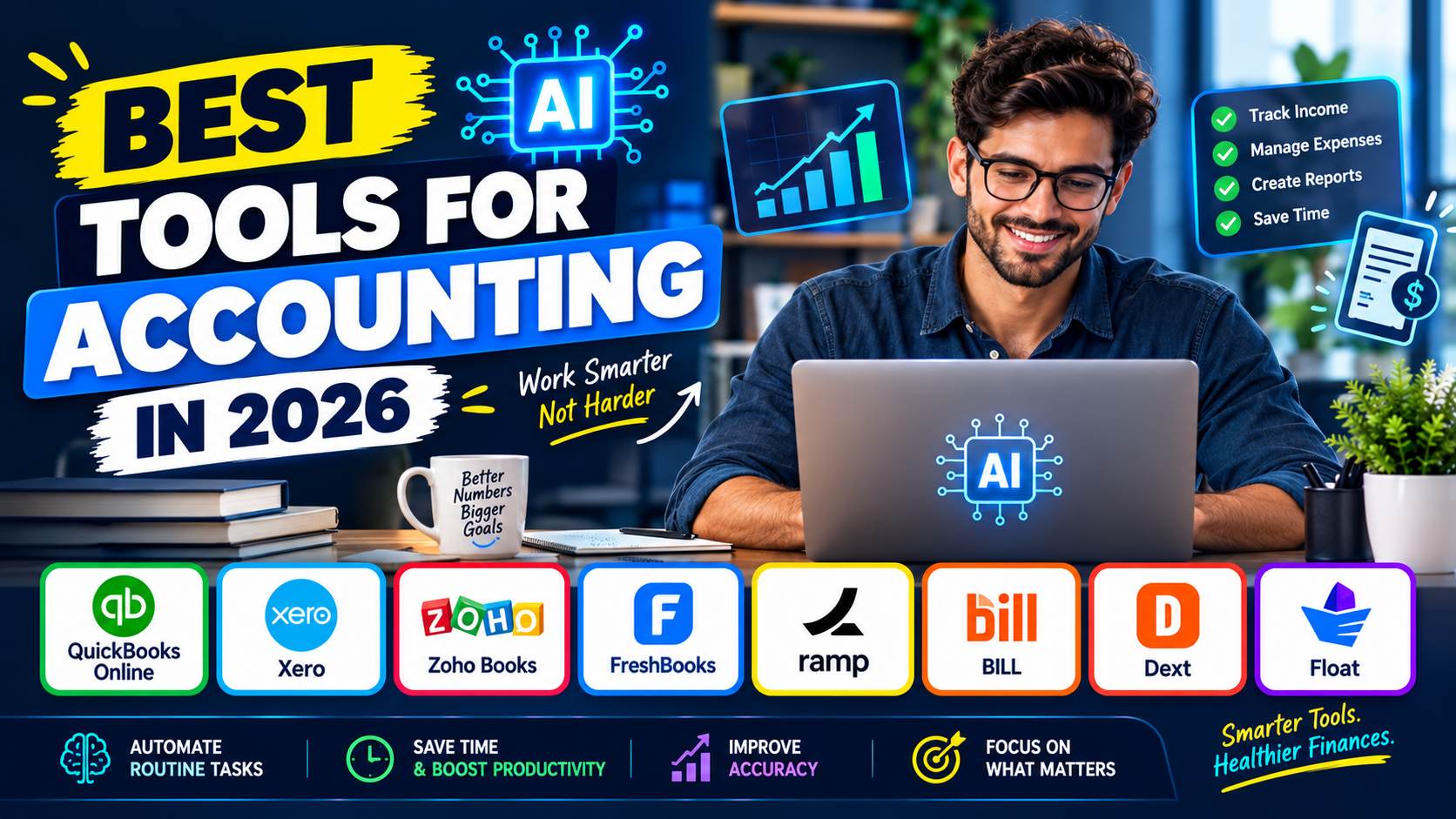
This comparison of AI Accounting Tools in 2026 covers eight platforms with different strengths. QuickBooks Online, Xero, Zoho Books, and FreshBooks provide core accounting functions, while Ramp, BILL, Dext, and Float address more specialized financial workflows.
| Tool | Best for | Relevant AI capabilities |
Starting price or model |
|---|---|---|---|
| QuickBooks Online | All-in-one accounting | AI-assisted categorization, reconciliation, financial assistance | Paid plans; see current pricing |
| Xero | Accounting and cash flow visibility | Document capture, transaction reconciliation, forecasting | $27/month standard starting price after introductory offer |
| Zoho Books | Budget-conscious businesses | Zia AI assistant, financial queries, anomaly detection | Free plan; paid plans from $15/month billed annually |
| FreshBooks | Freelancers and service businesses | Receipt scanning and automated financial workflows | Paid plans; promotional rates vary |
| Ramp | Spending and expense management | AI receipt capture, transaction coding, expense automation | Core software available free |
| BILL | Accounts payable and receivable | AI invoice coding, document capture, payment workflows | Paid AP/AR plans from $49/user/month |
| Dext | Receipt and invoice processing | Document extraction, categorization, bookkeeping automation | Business plan from $25.21/month |
| Float | Cash flow forecasting | Forecasting and scenario planning | From $130/month for the small-business monthly plan |
Pricing and capabilities checked against official vendor information on October 17, 2026. Prices are in US dollars unless otherwise stated, before applicable taxes. Promotional rates, billing terms, and plan eligibility can change.
How We Selected the Best Tools
This comparison uses publicly available product documentation, official pricing pages, and published feature descriptions rather than independent hands-on testing. Priority was given to software that supports real small-business financial workflows and offers identifiable AI capabilities or intelligent document and transaction automation.
The evaluation considers core accounting functions, invoicing, expense management, AI-assisted processing, forecasting, integration options, pricing transparency, and suitability for different business sizes. The products are not interchangeable: a business looking for complete bookkeeping software has different needs from one seeking invoice processing or forward-looking cash flow analysis.
Vendor descriptions establish what a product claims to offer, not a guarantee of accuracy or business results. Pricing and plan details should be confirmed directly before purchase.
The Best AI Financial and Accounting Tools for Small Businesses
1. QuickBooks Online
Best for: Small businesses seeking all-in-one accounting and AI-assisted financial workflows
QuickBooks Online is a strong starting point for businesses that want to manage income, expenses, invoices, and financial reporting within one accounting system. Its AI capabilities are being developed through Intuit Assist and related AI agents, which can help automate accounting tasks and surface information for review.
Key AI features
- AI-assisted transaction categorization and reconciliation.
- Identification of inconsistencies that may require attention.
- Financial assistance and recommendations based on business information.
- Suggested invoice reminders and payment strategies through applicable AI features.
For businesses handling regular bank transactions, customer payments, and recurring financial administration, Automated Bookkeeping Software can reduce repetitive work and make records easier to manage.
QuickBooks also provides accounting reports and integrations with other business applications, which can be useful for companies connecting their financial systems with e-commerce software.
While accounting software can automate routine tasks, accurate records and consistent reporting processes remain essential. Megri Accounting is relevant to businesses considering outsourced bookkeeping and finance operations support to complement their accounting systems and improve back-office efficiency.
Pricing: QuickBooks Online offers multiple paid plans. Exact current rates, promotional discounts, and included features should be checked on its official pricing and product page.
Pros
- Broad accounting and reporting functionality.
- AI assistance integrated with established accounting workflows.
- Suitable for businesses working with external accountants.
Cons
- More advanced features may require higher-tier plans.
- AI availability and functionality can vary by product, plan, and rollout.
Editor’s verdict: QuickBooks Online is worth considering for businesses that want accounting software with increasingly capable AI assistance rather than a separate tool for every financial task. Buyers should confirm which AI features are available on their chosen subscription and review automated entries before finalizing their books.
2. Xero
Best for: Small businesses that want cloud accounting, document capture, and cash flow visibility
Xero combines cloud accounting with tools that reduce manual data entry. Its US product offers invoice creation, bill management, bank reconciliation, financial reports, and cash flow forecasting. Smart Document Capture helps process information from financial documents, while its automated workflows can reduce repetitive bookkeeping work.
Key AI and automation features
- Capture of bills and receipts.
- Automated transaction reconciliation.
- Bill entry and tracking.
- Cash flow forecasts that extend from 30 to 180 days, depending on the plan.
- Financial dashboards and budgeting features on eligible subscriptions.
Xero is particularly useful for businesses that need collaboration between owners, employees, and accountants. Its plan structure also supports businesses that may require more advanced financial reporting as they grow.
Pricing: Xero’s US pricing page lists the Early plan at $27/month after its introductory offer, with higher tiers costing more. The Early plan limits invoice and bill volumes, so growing businesses may need a different subscription.
Pros
- Combines accounting, reconciliation, and forecasting.
- Supports accountant collaboration without per-user license fees.
- Offers document capture and recurring workflow automation.
Cons
- Entry-level transaction limits may be restrictive.
- Advanced reporting and longer forecasting periods require higher plans.
Editor’s verdict: Xero is a practical choice for businesses that want connected accounting and useful cash flow visibility. It is especially worth comparing with QuickBooks if forecasting and accountant collaboration are priorities. Its automation can reduce routine work, but financial reports still require oversight.
3. Zoho Books
Best for: Small businesses seeking affordable accounting with an integrated AI assistant
Zoho Books provides invoicing, transaction management, financial reports, expense tracking, and other accounting functions. Its Zia assistant adds a conversational interface for querying financial information and carrying out certain tasks. Businesses can use it to retrieve report details, check overdue invoices, and create transactions when the necessary information is supplied.
Key AI features
- Ask Zia, a conversational financial assistant.
- Natural-language queries about business records and reports.
- Assistance with creating sales and purchase transactions.
- AI features that can be enabled and configured according to business requirements.
The distinction between Zia and ordinary workflow automation matters: Zoho documents specific AI functions, while other features operate through conventional rules and scheduled actions. Availability may depend on configuration and the selected AI provider or model.
Pricing: Zoho Books offers a free plan for eligible small businesses and paid US plans starting at $15/month with annual billing. Higher tiers add users, inventory features, customization, and other capabilities. Prices exclude applicable taxes.
Pros
- Free entry-level option.
- Integrated AI assistant for accounting questions and tasks.
- Useful accounting functionality across multiple subscription tiers.
Cons
- AI features may require configuration.
- Some advanced functions and higher user limits require paid plans.
Editor’s verdict: Zoho Books is a compelling option for smaller businesses that want to control subscription costs without giving up core accounting functionality. Before choosing the free or entry-level plan, check transaction limits, user requirements, and the availability of the specific Zia features you intend to use.
4. FreshBooks
Best for: Freelancers, consultants, and service-based businesses
FreshBooks focuses on invoicing, expense tracking, estimates, payments, and accounting for businesses that bill clients for their time or services. Its receipt-scanning and expense features can help transfer information from supporting documents into financial records.
Although FreshBooks is useful for reducing manual administrative work, buyers should distinguish document extraction and conventional automation from more advanced generative AI or autonomous accounting functions. It is best evaluated on the features relevant to the business rather than the AI label alone.
Key AI-related and automation features
- Receipt scanning on eligible plans.
- Expense tracking and financial reporting.
- Invoice and estimate creation.
- Online payment acceptance and client management.
- Project profitability reporting on supported subscriptions.
Pricing: FreshBooks lists Lite, Plus, Premium, and Select plans. Its displayed rates can include temporary promotional discounts; for example, the official pricing page has shown Lite at $23/month before promotion and Plus at $43/month before promotion.
Pros
- Client invoicing and payment workflows suit service businesses.
- Expense and receipt tools reduce manual entry.
- Project-related functions help businesses track profitability.
Cons
- Client limits apply to lower-tier plans.
- Some accounting, receipt-scanning, and accounts payable features require higher subscriptions.
Editor’s verdict: FreshBooks is a sensible option for freelancers and consultants who prioritize billing clients and tracking business expenses. It should not automatically be treated as a replacement for more comprehensive accounting software; compare its reporting, reconciliation, and accounts payable capabilities against your needs.
5. Ramp
Best for: Businesses that need expense controls, corporate cards, and spending visibility
Ramp is one of the AI Tools for Business Finance designed to improve spending oversight rather than replace a complete accounting system. Its platform brings together corporate cards, expense tracking, reimbursements, bill payments, and financial reporting. AI-powered expense management can reduce the effort required to match receipts with transactions and code spending.
Key AI features
- AI-powered receipt capture and transaction coding.
- Receipt matching and expense processing.
- Automated expense management workflows.
- Budget controls and transaction visibility.
Ramp’s core card and expense management software is available without a subscription fee. However, transaction charges, eligibility requirements, payment terms, and access to other products should be reviewed separately.
Pricing: Ramp’s official pricing overview lists its core card and expense management software at $0. Bill Pay fees depend on the payment method, and other services may have different commercial terms. See the
Pros
- Free core expense management software.
- Brings card transactions and expense workflows together.
- Useful for controlling employee spending and tracking budgets.
Cons
- Not a complete substitute for general ledger accounting.
- Product eligibility and payment-related charges need review.
Editor’s verdict: Ramp is worth considering when a business’s main problem is controlling spending and reducing the administrative burden of employee expenses. It works best as part of a broader finance setup, with the appropriate accounting system handling the complete financial records.
6. BILL
Best for: Businesses processing frequent supplier invoices and customer payments
BILL specializes in accounts payable and accounts receivable automation. It helps businesses manage incoming bills, establish approval workflows, process payments, create customer invoices, and synchronize financial information with accounting systems.
Its AI functions target document processing and transaction coding, making it particularly relevant to companies that handle numerous supplier invoices or require structured approval processes.
Key AI features
- AI-assisted extraction of invoice information.
- Automated multi-line invoice coding.
- Vendor information and validation workflows.
- AI-supported transaction monitoring.
- Accounts payable and receivable automation.
BILL supports integration with QuickBooks and Xero, although the synchronization method depends on the plan. Lower-tier options may require manual CSV import and export, while higher tiers offer automatic two-way synchronization.
Pricing: The official US pricing page lists Accounts Payable and Accounts Receivable Essentials at $49/user/month, Team at $65/user/month, and Corporate at $89/user/month. Enterprise pricing is custom. BILL Spend & Expense is separately available at $0 per user/month for its core software. Payment transaction fees may apply.
Pros
- Specialized invoice and payment workflows.
- AI-assisted invoice coding and document capture.
- Accounting integrations and configurable approval controls.
Cons
- Per-user charges can add up as teams expand.
- Advanced synchronization and controls may require higher-tier plans.
Editor’s verdict: BILL is best suited to businesses whose financial workload includes substantial supplier invoicing, approval requirements, or receivables administration. It is a specialist addition to an accounting system, not necessarily the first subscription a very small business needs.
7. Dext
Best for: Businesses and bookkeepers processing receipts, invoices, and financial documents
Dext focuses on bookkeeping automation by capturing information from receipts, invoices, and statements and transferring it into accounting workflows. Businesses can submit documents through supported channels, then review extracted information before it is synchronized with compatible accounting software.
This approach can be particularly useful when expenses are spread across multiple employees, suppliers, and payment methods.
Key AI features
- Extraction of financial information from receipts and invoices.
- Document categorization and bookkeeping workflows.
- Bank statement and supplier statement extraction on eligible plans.
- Expense claims, approvals, and payment-related workflows.
- Integration with accounting software.
Dext advertises high document-processing accuracy, but this is a vendor claim rather than an independently verified result in this comparison. Extraction errors and unusual documents still need human review.
Pricing: Dext’s official business pricing page lists a plan at $25.21/month, or $302.50 billed annually, excluding VAT, with an allowance of 250 documents per month and five users. Allowances and prices depend on the plan selected.
Pros
- Specialized document capture and data extraction.
- Helps reduce manual receipt and invoice entry.
- Designed to connect document processing with bookkeeping.
Cons
- Adds another subscription to an existing accounting setup.
- Document and user allowances can affect overall value.
Editor’s verdict: Dext is worth considering when document handling is the main bottleneck in bookkeeping. It complements accounting software by preparing financial information for processing, rather than serving as the primary accounting ledger for the business.
8. Float
Best for: Businesses that need forward-looking cash flow forecasts and scenario planning
Float is a cash flow forecasting platform designed to help businesses understand how expected income, planned spending, and financial commitments may affect future cash balances. It connects with supported accounting software, including QuickBooks Online and Xero, and provides forecasts beyond the standard accounting reports.
Its principal strength is financial planning rather than transaction bookkeeping. Businesses can use it to model different scenarios, review upcoming cash requirements, and assess the potential effect of changes in revenue or expenditure.
Key features
- Rolling 13-week cash flow forecasts.
- Longer-term forecasts of up to 12 months on the small-business plan.
- Scenario planning.
- Integration with QuickBooks Online and Xero.
- Role-based permissions for team access.
Float’s forecasting capabilities are useful for financial planning, but they should not be confused with a guarantee of future cash balances. Results depend on the quality of accounting records and assumptions entered into the system.
Pricing: Float lists its small-business plan at $130/month on monthly billing or $105/month when billed annually, in US dollars and excluding VAT. This plan is intended for companies below £2 million in revenue, so US businesses should confirm eligibility and applicable terms directly.
Pros
- Focuses on forward-looking financial visibility.
- Supports multiple forecast scenarios.
- Connects with established accounting platforms.
Cons
- Adds a substantial cost compared with entry-level accounting subscriptions.
- Requires reliable financial records and realistic forecasting assumptions.
Editor’s verdict: Float is most appropriate for businesses that already maintain their books and need stronger cash flow planning. Smaller businesses with straightforward finances may be able to begin with the forecasts included in their accounting software before investing in a separate forecasting platform.
Which AI Financial Tool Is Best for Your Small Business?
The right choice depends on the financial task you want to improve. The following recommendations map common business needs to the most relevant options in this comparison.
| Business need | Suitable option | Why it fits |
|---|---|---|
| All-in-one accounting and bookkeeping | QuickBooks Online | Broad accounting functions with AI-assisted workflows |
| Cloud accounting and cash flow visibility | Xero | Combines bookkeeping, reconciliation, and forecasting |
| Affordable accounting with AI assistance | Zoho Books | Free entry-level plan and Zia assistant |
| Freelancer invoicing and expense tracking | FreshBooks | Client billing, payments, and project-related features |
| Employee spending and expense controls | Ramp | Corporate cards, budgets, and expense automation |
| Supplier invoices and payment approvals | BILL | Specialized accounts payable and receivable workflows |
| Receipt and document processing | Dext | Extracts financial information from supporting documents |
| Cash flow forecasting and scenario planning | Float | Dedicated forward-looking cash flow analysis |
For businesses starting from scratch, it is usually sensible to begin with Small Business Financial Management Tools that cover essential financial records. Specialist platforms become more valuable when a particular workflow, such as invoice processing or forecasting, remains time-consuming despite the core system’s built-in features.
What to Consider Before Choosing an AI Accounting Tool
Before purchasing an AI financial management platform, evaluate these practical considerations.
Businesses that need to connect payroll with accounting should also evaluate their payroll software and check compatibility with their existing financial systems.
- Total cost: Compare regular subscription prices rather than promotional offers alone. Include user fees, payment processing, integrations, and optional modules.
- Existing integrations: Confirm compatibility with your bank accounts, payment processors, payroll provider, inventory system, and accountant’s preferred software.
- Accuracy and oversight: Review how the platform handles uncertain transactions, incorrect document extraction, duplicates, and unusual entries. Maintain appropriate approval procedures.
- Security and privacy: Examine the provider’s security documentation, access controls, data retention policies, and terms governing the processing of financial information.
- Tax and regulatory requirements: Check support for relevant US tax reporting, sales tax, payroll, and 1099 workflows where applicable.
- Migration and support: Consider the effort required to import historical records, configure accounts, train employees, and resolve problems during implementation.
AI can reduce repetitive administrative work, but it does not remove the need for accurate records, appropriate internal controls, or professional accounting advice.
FAQs
1. What is the best AI accounting software for small businesses in 2026?
QuickBooks Online and Xero are strong candidates for businesses seeking broad accounting functionality with intelligent automation. Zoho Books is worth considering for businesses that prioritize affordability and an integrated AI assistant. The best option depends on required features, budget, integrations, and the complexity of the company’s finances.
2. Can AI tools automate small business bookkeeping?
Yes. AI-enabled tools can assist with transaction categorization, receipt extraction, invoice processing, reconciliation, and expense coding. The extent of automation varies by provider and subscription. Business owners should review exceptions, correct inaccurate entries, and reconcile financial records rather than assuming every automated transaction is correct.
3. Are there free AI accounting tools for small businesses?
Zoho Books offers a free accounting plan for eligible businesses, while Ramp provides core expense management software at no subscription cost. These are different types of products, and neither should be assumed to include every advanced AI feature. Check transaction limits, eligibility requirements, and paid add-ons before selecting a free option.
4. Can AI accounting software help with cash flow forecasting?
Yes. Some accounting platforms provide built-in cash flow forecasts, while specialist tools such as Float offer scenario planning and longer-term projections. These tools help businesses examine expected receipts, payments, and spending assumptions. Forecasts remain estimates and depend on the quality of the underlying data.
5. Is AI accounting software suitable for freelancers?
Yes. Freelancers can use accounting software to manage invoices, expenses, payment records, and tax-related reports. FreshBooks is worth evaluating for client billing, while Zoho Books and QuickBooks Online provide broader accounting options. Freelancers should compare client limits, expense features, reporting requirements, and the cost of additional users or services.
6. What should small businesses consider before using AI for financial management?
Businesses should check data security, integration compatibility, pricing, the accuracy of AI-generated entries, and the availability of human support. They should also establish approval controls and review procedures. AI should support financial decision-making rather than replace professional judgment, accounting oversight, or applicable compliance requirements.
Final Recommendations
The best AI financial and accounting tools for small businesses are those that address a genuine operational need without introducing unnecessary cost or complexity. QuickBooks Online and Xero are worth comparing for broad accounting requirements, while Zoho Books offers an affordable starting point for eligible businesses. Freelancers may prefer FreshBooks for client billing, and Ramp can help businesses manage employee spending.
Among the Top Accounting Automation Tools, BILL supports invoice and payment processing, Dext focuses on document capture, and Float provides dedicated cash flow forecasting.
Before committing, compare current subscription terms, verify the availability of specific AI features, and check how well each platform integrates with your existing systems. Start with the essential financial workflows, then add specialist automation where it provides clear practical value.